
When integrating palm vein recognition into a payment or identity platform, developers often ask: “Does the SDK encrypt biometric data automatically, or do we need to build encryption ourselves?”
For X-Telcom’s SDK and algorithm interfaces, the answer depends on the data involved.
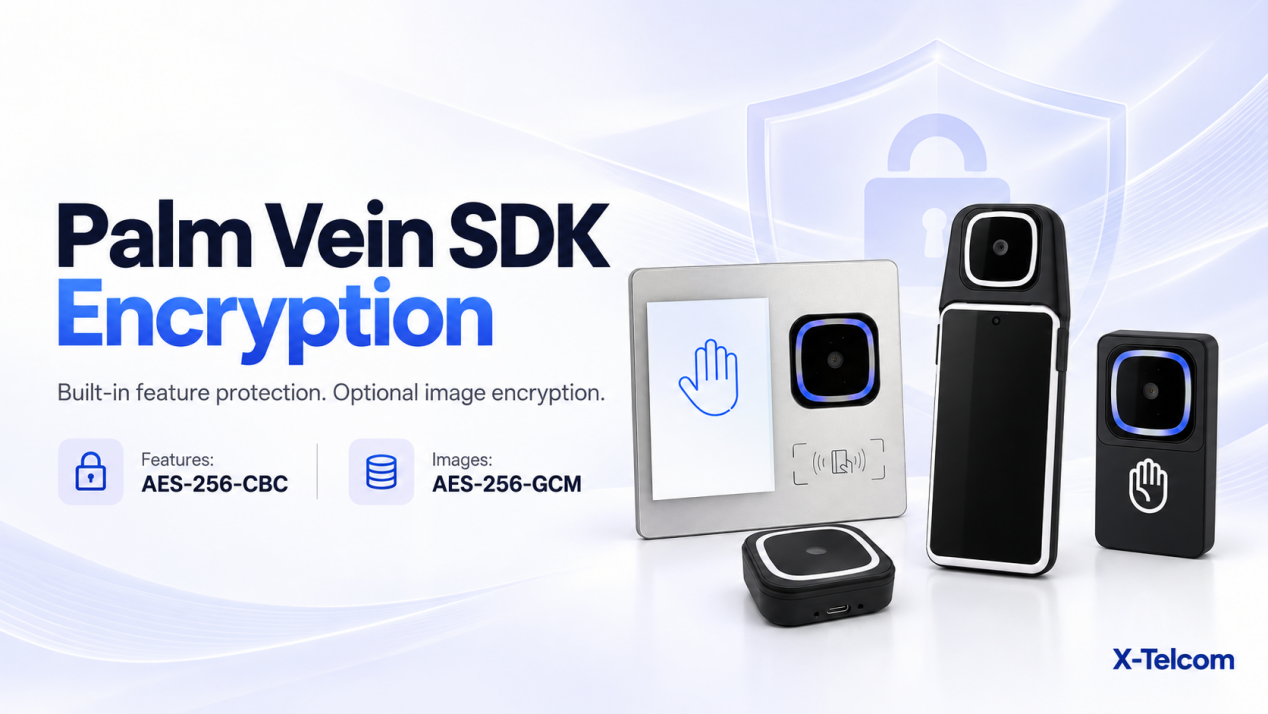
Feature data produced by the feature-value SDK is already encrypted. Palm image encryption is a separate, optional client-side operation.
Understanding this distinction helps your team avoid duplicate work and configure requests correctly.
Palm Features and Palm Images Are Different Inputs
A palm vein integration can involve feature data and original palm images. These inputs have separate encryption controls.
| Data type | Encryption method | Request flag | Who handles encryption? |
|---|---|---|---|
| Feature data output by the feature-value SDK | AES-256-CBC | is_encrypted |
Built into the SDK |
| Palm images, when optional image encryption is enabled | AES-256-GCM | is_image_encrypted |
Your client application |
The flags are handled independently. Your application should set each flag according to the actual encryption status of the corresponding data.
For example, receiving encrypted features from the SDK does not mean that your application has also encrypted the palm images.
1. Feature Encryption Is Built into the SDK
Your developers may review the sample application without finding a separate function that encrypts feature files.
This is expected. The feature-value SDK includes built-in encryption, and its feature output is encrypted using AES-256-CBC.
Your application does not need to recreate that encryption step for the SDK’s existing encrypted output.
Before adding any additional encryption, check the relevant API contract. An extra encryption layer that the server does not expect can prevent the service from processing the submitted features.
What does is_encrypted mean?
The is_encrypted flag describes the encryption status of the feature data supplied in the request.
It should not be treated as a command that automatically encrypts arbitrary data in your application. The uploaded content and its declared status must agree.
Must every request include feature values?
The technical guidance confirms that standard algorithm-service requests may omit feature values where the interface supports this. The server then extracts the features independently.
Your team should follow the required inputs for the specific API being called. This option does not mean that palm images or other required request fields can also be omitted.
2. Palm Image Encryption Requires a Separate Implementation
For the Large Model interfaces, palm image encryption is an optional operation performed by the client.
If your project enables this option, your application must encrypt the image using AES-256-GCM before uploading it.
The request must also include:
is_image_encrypted: true
Setting this flag alone does not encrypt an image. It tells the server that the supplied image has already been encrypted and needs to be decrypted using the configured settings.
The implementation therefore has two distinct responsibilities:
- Encrypt the actual image data before transmission.
- Declare its encryption status correctly in the request metadata.
Both are necessary for the server to interpret the upload correctly.
3. Keep Feature and Image Encryption Settings Separate
A common source of confusion is assuming that one encryption setting applies to every biometric input.
In practice, your integration needs to distinguish:
- Encrypted feature data returned by the SDK.
- Original image data that has not undergone optional image encryption.
- Image data encrypted by your application before upload.
The corresponding flags should describe these inputs individually.
This distinction is particularly useful when troubleshooting. If an image upload fails, your team should check the image-encryption configuration rather than assuming that the SDK’s feature encryption covers the image as well.
4. What Must Your Development Team Implement?
The division of responsibilities can be summarised as follows.
SDK responsibility
The feature-value SDK provides its built-in AES-256-CBC encryption for feature output.
Client application responsibility
When optional image encryption is required, your team implements AES-256-GCM encryption of image files and sets the corresponding metadata flag.
Deployment and security operations responsibility
Deployment or security personnel centrally generate and configure the image-encryption key.
The confirmed image-key configuration uses:
- A 32-byte random key.
- Standard Base64 encoding of that key for the server configuration.
- The server variable
IMAGE_ENCRYPTION_KEY_B64. - The decoded 32-byte key for client-side encryption.
Base64 represents the key in a configuration-friendly format. It does not encrypt the key.
Key distribution and storage remain part of the project’s security implementation.
5. Validate Against the Algorithm Server
Using the correct encryption algorithm is necessary, but it does not by itself confirm that the client and server are compatible.
The client’s encrypted image format must match the server’s decryption implementation.
Before completing integration, confirm the required payload details with the technical team. Do not infer nonce placement, authentication-tag packaging or other unspecified parameters from the algorithm name alone.
A useful validation sequence is:
- Complete the standard SDK registration and identification workflow.
- Confirm which feature and image inputs your selected APIs require.
- Check the encryption status of each input.
- Apply the corresponding metadata flags.
- Test encrypted uploads against the configured algorithm server.
A local encryption-and-decryption test can verify that your application recovers the original image bytes. Server testing is still needed to confirm compatibility with the deployed service.
6. Apply the Guidance to the Correct Algorithm System
X-Telcom’s Small Model and Large Model are entirely separate, decoupled systems.
The Small Model uses featureId to identify a palm. The Large Model uses a user_id supplied by your platform to identify a user.
Their SDKs should not be included in the same application build. Follow the documentation for the SDK and algorithm interfaces selected for your project, rather than assuming that request formats and settings transfer automatically between the two systems.
Frequently Asked Questions
Why is there no feature-encryption code in the sample application?
Feature encryption is built into the feature-value SDK. Its feature output is already encrypted using AES-256-CBC.
Does is_image_encrypted: true encrypt the image automatically?
No. Your client must encrypt the image before uploading it. The flag declares that the uploaded image is encrypted.
Are feature encryption and image encryption controlled separately?
Yes. is_encrypted applies to feature data, while is_image_encrypted applies to images.
Is palm image encryption mandatory?
The documented client-side image encryption option is optional. Your project should determine its use according to the agreed security requirements and deployment configuration.
Can we test before purchasing the large-model algorithm?
X-Telcom provides a Large Scale SDK Demo and public-cloud testing environment before algorithm purchase. Contact our team to arrange evaluation access and confirm suitable sample hardware.
Build Your Palm Vein Integration with Clear Responsibilities
For palm vein payment and biometric identity projects, a clear understanding of data handling reduces integration confusion.
Start by identifying what the SDK already encrypts, what your application needs to implement and what the server expects to receive.
Contact X-Telcom to discuss your palm vein SDK requirements, compatible terminals and evaluation process.