
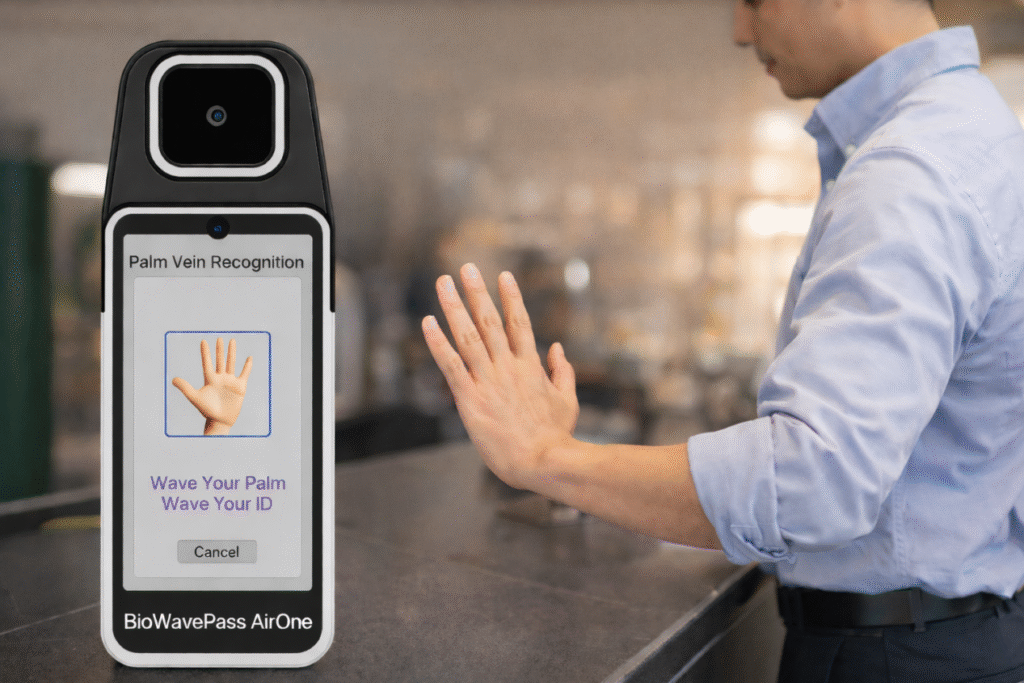
As mobile payments mature, fintech platforms are increasingly looking for authentication methods that provide stronger identity assurance without increasing friction at checkout. Palm vein authentication has emerged as one of the most secure and user-friendly biometrics available, especially for financial environments that must balance security, scalability, and real-world usability.
At X-Telcom, our palm vein solutions, including BioWavePass AirOne, WavePass500, and PalmVein01 USB Scanner, are designed to integrate seamlessly into existing payment and identity platforms. This article explains how palm vein authentication can be embedded into a mobile payment architecture, from system design to developer implementation.
Why Palm Vein Authentication Fits Mobile Payments
Palm vein recognition uses RGB + IR dual-mode imaging to capture sub-surface vascular patterns beneath the skin. Unlike fingerprints or facial recognition, these biological features cannot be photographed, lifted, or duplicated externally, making palm vein technology highly resistant to spoofing and replay attacks.
For mobile payment environments, this means:
- Strong identity certainty
- Contactless user experience
- High accuracy at scale
- Natural and repeatable user gestures
Most importantly, palm authentication can work as an identity layer above the wallet or banking system, rather than replacing it.
A Practical Architecture for Palm-Enabled Mobile Payments
A successful palm payment system typically involves four key components:
- The Banking or Wallet Application – where account ownership and identity verification begin
- The Palm Vein Device (such as AirOne or WavePass500) – where biometric data is captured
- The Payment Gateway or Orchestration Layer – where identity and transactions are linked
- The Merchant POS System – where payments are processed
The goal is to introduce palm authentication without disrupting the existing payment stack.
Step-by-Step Integration Flow
Step 1 — Secure App-Level Authentication
The process usually begins inside the bank or wallet app. A session is established by scanning a QR code at checkout or initiating a payment request from the device. This ensures the user is authenticated before biometrics are introduced.
This maintains clear security boundaries:
- The app controls account identity
- The bank or wallet platform owns customer data
- Biometrics operate as an additional trust layer
Step 2 — Activate the Palm Vein Device
Once authentication succeeds, the palm terminal, such as BioWavePass AirOne, is temporarily activated. This session-based control prevents unauthorized or offline biometric enrollment.
Step 3 — Capture and Encrypt Palm Vein Data
When the user scans their hand:
- The palm image is captured using RGB + IR dual-mode imaging
- The image is converted into a secure biometric template
- The template is encrypted before leaving the device
- No raw images are stored or transmitted
This prevents biometric replay or unauthorized duplication.
Step 4 — Bind Palm Identity to the User Account
The template is then linked to the user profile in the payment backend or identity layer. From this point forward, palm verification serves as a strong identity factor across future transactions.
This supports:
- Multi-terminal use
- Cross-merchant identity continuity
- Unified biometric identity across systems
Step 5 — Process the Payment
Once palm verification succeeds:
- The gateway requests authorization from the bank or wallet
- The bank approves based on balance and risk checks
- The merchant receives confirmation
- Funds are settled normally
Palm authentication enhances the identity layer, not the settlement logic. This means payment systems remain stable and compliant.
Developer Considerations for Palm Vein Integration
When fintech teams architect palm-based payment systems, several technical topics must be addressed.
Identity Binding Logic
Ensure a secure one-to-one relationship between user, account, and palm template.
Session Security
Limit the biometric capture session window and enforce expiration.
Template Encryption
Palm templates should never exist in plain form during transmission or storage.
SDK and Platform Flexibility
X-Telcom devices support:
- Android SDK integration
- API-driven workflows
- Cloud-based or local matching architectures
Scalability
Palm systems must maintain high performance as databases scale into the millions.
The Role of X-Telcom Palm Vein Devices
X-Telcom provides multiple device types to support each stage of deployment.
BioWavePass AirOne
Mobile palm vein POS terminal for roaming agents and field onboarding.
WavePass500
Fixed palm terminal for counters, kiosks, and service windows.
PalmVein01 USB Scanner
Ideal for developer integration, e-KYC modules, and embedded identity platforms.
All devices share a common biometric foundation to maintain consistency across environments.
Conclusion
Palm vein authentication is not just another biometric method. It is a privacy-preserving identity framework capable of strengthening mobile payment ecosystems without adding user friction.
With the right architecture and secure developer practices, fintech platforms can integrate palm authentication to achieve:
✔ Stronger identity assurance
✔ Smooth and intuitive payment experiences
✔ Compliance-ready biometric security
✔ Scalable enterprise deployment
X-Telcom continues to support fintech innovators worldwide with palm vein hardware, SDK tools, and architecture guidance designed for real-world deployment.
If your team is exploring palm-based payments or identity systems, our technical team is ready to assist with integration planning and solution design.