
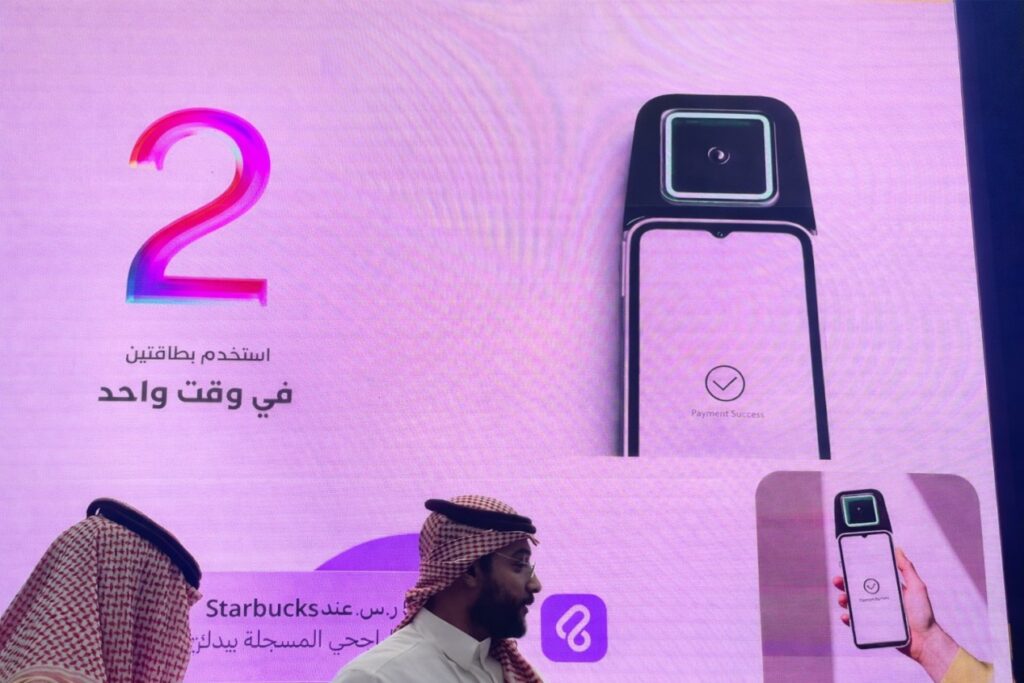
Palm payment is an emerging contactless payment method that allows users to pay using their palm as a digital wallet. Instead of relying on cards, phones, or PIN codes, palm payment combines biometric identity verification with an existing digital payment account to deliver a fast and seamless checkout experience.
Below is a general and platform-agnostic overview of how palm payment systems are typically set up and used.
What You Need Before Getting Started
Before enrolling in a palm payment system, users usually need:
- An active digital payment account with completed identity verification
- A linked funding source such as a bank card or wallet balance
- Physical access to a palm scanning device at a supported location
Palm payment services are often launched first in specific regions and require on-site enrollment using dedicated palm scanner devices.
Step-by-Step: Setting Up Palm Payment
1. Activate a Digital Payment Account
The first step is enabling a standard digital wallet or payment account. This typically includes:
- Adding a bank card or funding method
- Completing identity verification
- Setting up payment security such as a PIN or password
This step ensures the payment account is ready before biometric data is linked.
2. Locate a Palm Scanner Device
Palm enrollment must be completed at a physical location equipped with a palm scanning device. These devices are commonly found in:
- Retail stores
- Transit stations
- Office buildings
- Service counters or kiosks
Participating locations usually display signage indicating palm payment support.
3. Start the Registration Process
At the palm scanner, users initiate enrollment by following on-screen instructions. This often involves:
- Scanning a QR code displayed on the device with a mobile phone
- Confirming the registration process in the payment app
This step links the physical device session with the user’s digital account.
4. Register Your Palm
The user is then asked to align their palm above the scanner. The device uses near-infrared and optical imaging to capture:
- Palm line patterns
- Palm vein patterns beneath the skin
These biometric features are converted into a secure digital template and associated with the user’s account.
5. Confirm and Complete Enrollment
After the palm scan, the user confirms the enrollment on their phone or on the device screen. Once completed, the palm is officially linked to the payment account.
Enrollment is usually completed in less than a minute.
How to Make a Palm Payment
Once enrolled, paying with your palm is simple.
1. Wave Your Hand
At checkout, the user hovers their hand above the palm scanner. No phone, card, or wallet is required.
2. Biometric Authentication
The device scans the palm, verifies the biometric identity, and matches it to the registered account.
3. Payment Processing
After successful authentication, the payment is processed through the linked digital wallet or bank account.
4. Payment Confirmation
A confirmation message is displayed on the device or sent to the user’s phone, and the transaction is completed.
Key Benefits of Palm Payment
Convenience
Palm payment eliminates the need to carry a phone, wallet, or card. The palm itself becomes the payment credential.
Security
Palm vein and palm print recognition use internal biological features that are difficult to copy or spoof and are generally considered more private than facial recognition.
User Control
Biometric payment features can usually be managed or disabled at any time through the payment application.
Final Thoughts
Palm payment represents a shift toward more natural and frictionless payment experiences. By combining biometric identity with existing digital wallets, palm payment systems offer a secure and convenient alternative to traditional payment methods.
As adoption expands, palm-based payments are expected to play a growing role in retail, transportation, and everyday transactions where speed, security, and simplicity matter most.